


Pensacola News Journal
3.288.00 Reviews
App Specs
- Version
- 8.10.3
- Updated On
- License
- Free
- Downloads
- 10,000+
- Developer
- USA TODAY Co.
- Categories
- News & Magazines
- Platform
- Android
Screenshots


 Analysis by AppCompare
I approached Pensacola News Journal as a focused local-news app rather than as a replacement for every news source on my phone. That distinction matters. Its purpose is to bring Pensacola-area reporting together with broader coverage, photography, and video in a compact mobile experience. If you want one place to check what is happening around your community before work, during a break, or at the end of the day, it has a clear role. If you are looking for a completely open-ended national news reader, its local identity may feel limiting.
The app is free to install, and it is published by USA TODAY Co. It belongs to the News & Magazines category, carries an Everyone 10+ content rating, and supports Android 8.0 or later. The release history reaches back to August 2, 2012, while the current version is 8.10.3. Those details tell me that this is an established publication app with a long-running mobile presence, not a temporary experiment.
My overall impression is mixed but useful: the app works best when I treat it as a quick local briefing tool and build a simple reading habit around it. The average rating sits at 3.2 from around 201 ratings, with around 88 written reviews, and the app has passed 10K+ installs. That audience size is modest compared with giant national news platforms, but the relevant question is whether its Pensacola coverage matches what you actually need.
How I use the app for a reliable local-news routine
I make this routine dependable by choosing two moments to check local coverage rather than opening the app whenever I have a spare second. That gives me a clearer sense of what has changed and keeps headlines from interrupting the rest of the day. I also decide in advance whether I am looking for a quick update or enough context to make a plan, which helps me read with purpose.
A practical morning workflow
My preferred starting point is deliberately simple. I open the app when I have a few minutes, scan the leading local stories, and decide which items deserve a full read. I do not try to consume everything in one sitting. Local news can include public safety, community events, weather-related developments, local government, and human-interest reporting, so a quick first pass helps separate immediate information from stories I can save mentally for later.
The strongest reason to choose this app is that it gives local coverage a more prominent place than a general national-news application usually does. A broad aggregator may show major headlines from many publishers, but it can bury a Pensacola story beneath national politics, celebrity news, or international events. Here, the local publication identity sets a clearer expectation: open it when your priority is knowing what is happening in and around Pensacola.
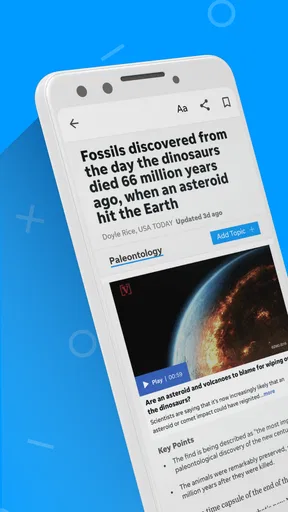
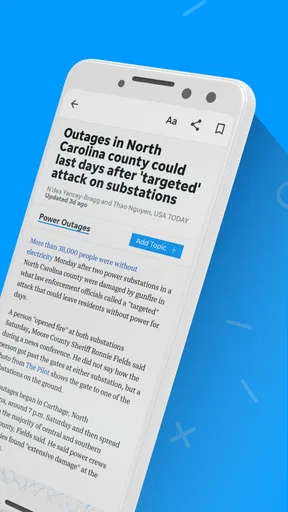
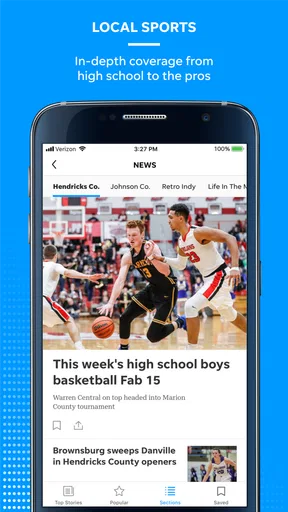
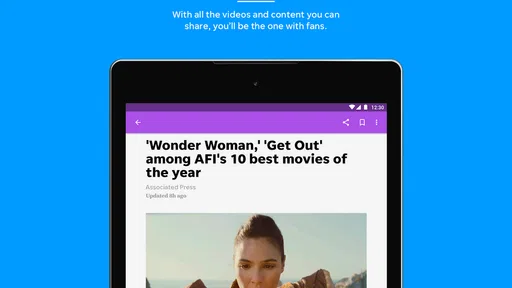
I also pay attention to the way a story is presented before deciding how much time to spend. A headline may be enough for a quick update, while a report with strong photography or video can provide useful context that a short text snippet cannot. The store summary highlights local and national news alongside photography and video, and that combination is important in practice. Visual reporting is particularly helpful for community scenes, public events, changing conditions, and stories where location matters.
Worth Reading Before You Choose

EA SPORTS FC Mobile 26 Is a Bigger Football Game, but It Takes Time

Flipboard Shows What News Apps Must Do Beyond the Feed

Switching to Android Auto Means Rethinking Your Driving Routine

Google Calendar Makes a Crowded Week Easier to Manage

Ludo King Makes the Most of the Minutes Between Plans

Baby Panda World Brings Quick Play to Modern Phones, but Its Game Library Feels Busy
A realistic everyday scenario would be checking the app before leaving home, scanning local headlines, and then returning during lunch to open one or two developing stories. That pattern is more sustainable than constant checking. It also reduces the chance of treating every notification or headline as equally urgent, which is an easy habit to fall into with news apps.
What I look for when reading a story
I recommend opening the full article when a headline affects a decision you may make that day. For example, a local development, public event, or community issue may require more context than the headline provides. I read the opening paragraphs first, then look for the visual material and any later details before forming an opinion. This is a small but valuable discipline because local stories often depend on place, timing, and the distinction between an initial report and a fuller update.
The app is also more useful when I treat video as a separate format rather than as decoration. Video can make a report easier to understand, but it may also take longer to load or consume more mobile data than text. When I am on a limited connection, I prefer reading first and opening video only when it adds something that the article cannot communicate clearly. At home or on a dependable connection, I am more willing to explore the visual side of the coverage.
One practical tip is to avoid judging the entire app from the first few headlines you see. News priorities change throughout the day, and a local publication can feel more valuable during a developing story than during a quiet news cycle. I find it better to assess the app over a repeatable routine: use it for several short visits, notice whether the coverage fits your interests, and then decide whether it deserves a permanent place on your phone.
Settings and habits worth checking
Before relying on any news app, I check its notification behavior and the Android settings connected to it. I want breaking updates to be useful rather than noisy. If alerts arrive too frequently, I reduce or disable them through the available app or system controls. That is not a criticism unique to Pensacola News Journal; it is a basic part of making a news service fit your day instead of allowing it to interrupt every quiet moment.
I also review Android’s battery, mobile-data, and notification permissions for the app. The exact controls can vary by phone, so I do not assume every device presents them in the same place. The useful principle is straightforward: if you mainly read at home, stricter background behavior may be comfortable; if you depend on timely local updates while away, you may prefer to allow more immediate alerts and accept the trade-off.
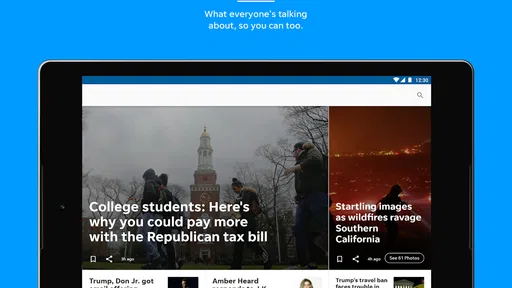
Display size is another overlooked adjustment. On a small phone, I read in shorter sessions and rotate to a larger screen when I want to examine photographs or watch video. On a tablet, the visual material becomes easier to appreciate, but the app remains a news reader rather than a full newspaper replacement in the traditional print sense. I would not choose a device solely for this app, yet a larger screen can make longer articles less tiring.
Because the app includes national coverage as well as local reporting, I use a mental filter before opening it. I ask myself whether I am checking Pensacola news or simply looking for general headlines. That question prevents disappointment. For broad national coverage, a dedicated national publication or a multi-source reader may offer more variety. For local relevance, this app has a sharper purpose.
Faster patterns for repeat users
Experienced use is less about discovering secret controls and more about repeating a workflow that removes unnecessary steps. I keep the app in a predictable place on my home screen, open it at two planned times, and avoid refreshing it constantly. This makes it easier to notice meaningful changes without turning news consumption into background anxiety.
My first pass is a headline scan. My second pass is selective reading. My third, when needed, is a return to a developing story later in the day. That pattern helps me distinguish a report that has genuinely changed from one that merely appeared near the top of the feed. It is especially helpful for local events, where early information can be brief and later coverage may add photographs, video, or additional explanation.
I also use a simple “read, check, move on” rule. If an article answers my immediate question, I stop rather than opening every related item. If it raises a question that could affect my plans, I read more carefully and revisit the story later. This approach is more efficient than scrolling without a goal, and it makes the app feel lighter even when the news cycle is busy.
Another useful habit is separating information gathering from opinion forming. I first identify what the article says, then consider what it means to me. Local news can feel personal because it concerns familiar places and nearby people. The app’s photography and video may strengthen that sense of immediacy, which is valuable, but it can also make a first emotional reaction stronger. Taking a moment before sharing or commenting is a sensible part of responsible use.
Where it compares well with alternatives
Compared with a general news aggregator, Pensacola News Journal offers a clearer local starting point. An aggregator is better when I want many viewpoints, a wide range of publishers, or one combined stream covering several regions. The trade-off is that local stories may be less visible. This app reverses that priority, making it a more natural choice for someone whose daily questions begin with what is happening nearby.
Compared with a national news application, it has a narrower geographic focus but a stronger community identity. A national app is usually better for major events outside Florida or for following a wide set of national subjects. I would keep the national option if I wanted a complete overview, but I would add this app if Pensacola-area reporting was the part I kept missing.
Compared with visiting a news website in a mobile browser, the dedicated app can feel more direct for repeated checks. I do not have to begin with a browser tab or search for the publication each time. However, a browser may be preferable if you rarely read local news, want to reduce the number of installed apps, or prefer handling every publication through one browsing routine.
Compared with social media, the app gives me a more intentional reading environment. Social feeds are fast and convenient, but they mix reporting with reactions, reposts, and unrelated material. The app is better when I want to begin with the publication’s own presentation of a story rather than with whatever happens to be trending in a feed.
Important limits before you commit
The free installation does not mean every part of the experience is necessarily free. The app includes in-app purchases priced from $14.99 to $69.99 per item. I would therefore check the purchase screen carefully before assuming that all reading options are included without charge. The sensible approach is to use the free entry point, understand what is available, and only consider a paid option if the publication’s coverage becomes genuinely valuable to you.
That pricing range also changes who should install it. A casual visitor who checks local headlines once every few weeks may be better served by a browser. A resident who follows local developments regularly may find greater value in keeping the publication close at hand. I would not pay simply because an app is convenient; I would pay only if the depth and frequency of the coverage match my real reading habits.
The 3.2 average rating suggests that the experience will not satisfy everyone. I do not read that number as a verdict on the quality of every article. It is a reminder to keep expectations realistic about the app as software and service. News apps can be affected by layout preferences, update behavior, account or purchase friction, notification choices, and differences between devices. If a smooth, highly polished interface matters more to you than local relevance, a larger national platform may feel safer.
I would also skip this app if my main goal is a single, comprehensive source for international news, finance, technology, or specialized subjects. Its local-news purpose is an advantage only when that purpose matches your needs. Installing it will not automatically make a general news habit better; it works when you give it a defined job.
Who gets the most value from it
I see the best fit in residents, former residents, families with local ties, and anyone who wants a convenient way to monitor Pensacola-area developments. It can also suit people who prefer visual reporting and want photography or video alongside written coverage. The presence of national news gives the app some broader usefulness, but I would still choose it primarily for the local connection.
It is less suitable for readers who want a completely customizable multi-source dashboard, a specialized business briefing, or a news service with no purchase prompts. It is also not my first choice for someone who reads news only through newsletters or a browser and does not want another notification channel. Those are not flaws in isolation; they are signs that the app serves a particular reading style.
For families, the Everyone 10+ rating provides a useful general age guideline, but I would still use ordinary judgment when children encounter news content. Real-world reporting can cover serious or upsetting subjects even when an app’s broad content rating is not restrictive. The rating should be treated as a starting point, not as a promise that every story will suit every young reader.
My verdict after building a routine around it
Pensacola News Journal is most convincing as a focused local-news companion, not as an all-purpose replacement for every news source. I like the way its identity keeps Pensacola coverage at the center while still offering national material, photography, and video. The app becomes more useful when I approach it with a repeatable workflow: scan first, open only relevant stories, use visual content selectively, and control notifications so the news fits my schedule.
The main trade-offs are clear. The modest average rating means I would test the experience on my own phone rather than assuming it will feel perfect. The in-app purchase range means I would inspect the available reading options before spending anything. And the local emphasis means national-news readers may find it too narrow. Those limitations are important, but they do not erase its value for the right audience.
My recommendation is straightforward: install it if Pensacola news is something you genuinely want to follow and you prefer a dedicated app over a browser or social feed. Give it a few planned check-ins instead of judging it from one opening session. If the local coverage becomes part of your daily routine, the convenience and visual reporting can justify keeping it. If you only want broad national headlines or a single multi-source stream, choose a wider alternative and skip this one.
For my own use, I would keep it as a local layer alongside a broader news source. That combination is more practical than asking one app to do everything. Pensacola News Journal handles the nearby picture; another service can handle the wider world. Used that way, it has a clear purpose, manageable limits, and enough local focus to earn a place in a carefully organized news routine.
Pros
- Covers local Pensacola and Northwest Florida news in one place.
- Provides timely updates on community events
- weather
- and regional issues.
- Offers a familiar newspaper-style reading experience on mobile devices.
- Useful for following local sports
- schools
- and government developments.
- Push alerts can help readers stay informed about breaking local stories.
Cons
- Many articles may require a subscription or account to read fully.
- Advertising can make some screens feel crowded while browsing.
- Coverage is strongly regional and less useful for non-local readers.
- App performance and article loading may depend heavily on connection quality.
- Frequent notifications may feel excessive unless alert settings are adjusted.
FAQs for Pensacola News Journal
What is the Pensacola News Journal app?
The Pensacola News Journal app is a mobile news platform focused on Pensacola, Escambia County, Santa Rosa County, and the surrounding Northwest Florida area. After installing it, readers can browse local reporting, breaking news, sports, entertainment, weather-related coverage, and community stories. It is designed for people who want regional journalism available conveniently on an Android or iOS device.
Is the Pensacola News Journal app free to download and use?
The app can generally be downloaded without an upfront charge, allowing users to explore selected content and review the available sections. However, access to all articles and digital newspaper features may depend on a subscription or account. Before downloading, check the current pricing, trial terms, and in-app purchase details in the official Google Play Store or Apple App Store listing.
What type of news can I read in the app?
The Pensacola News Journal app primarily covers local and regional topics, including city and county government, crime, education, business, local events, high school and professional sports, weather, and community developments. Coverage can change throughout the day as stories are updated. It is especially useful for readers who prefer Northwest Florida news rather than only national headlines.
Does the app offer breaking-news alerts and notifications?
Yes, the app may support notifications for breaking stories, important local developments, severe weather, sports updates, and other timely coverage. Notification categories and availability can vary by app version or device. After installation, review the notification settings carefully so you can receive urgent updates without being overwhelmed by alerts that are less relevant to your interests.
Do I need an account or subscription to access every feature?
Some features and articles may be available to everyone, while premium journalism, unlimited reading, digital edition access, or subscriber-only benefits may require registration or a paid subscription. The exact restrictions can change over time. If you plan to use the app regularly, read the subscription information before confirming payment and check whether cancellation is managed through Apple or Google.


